
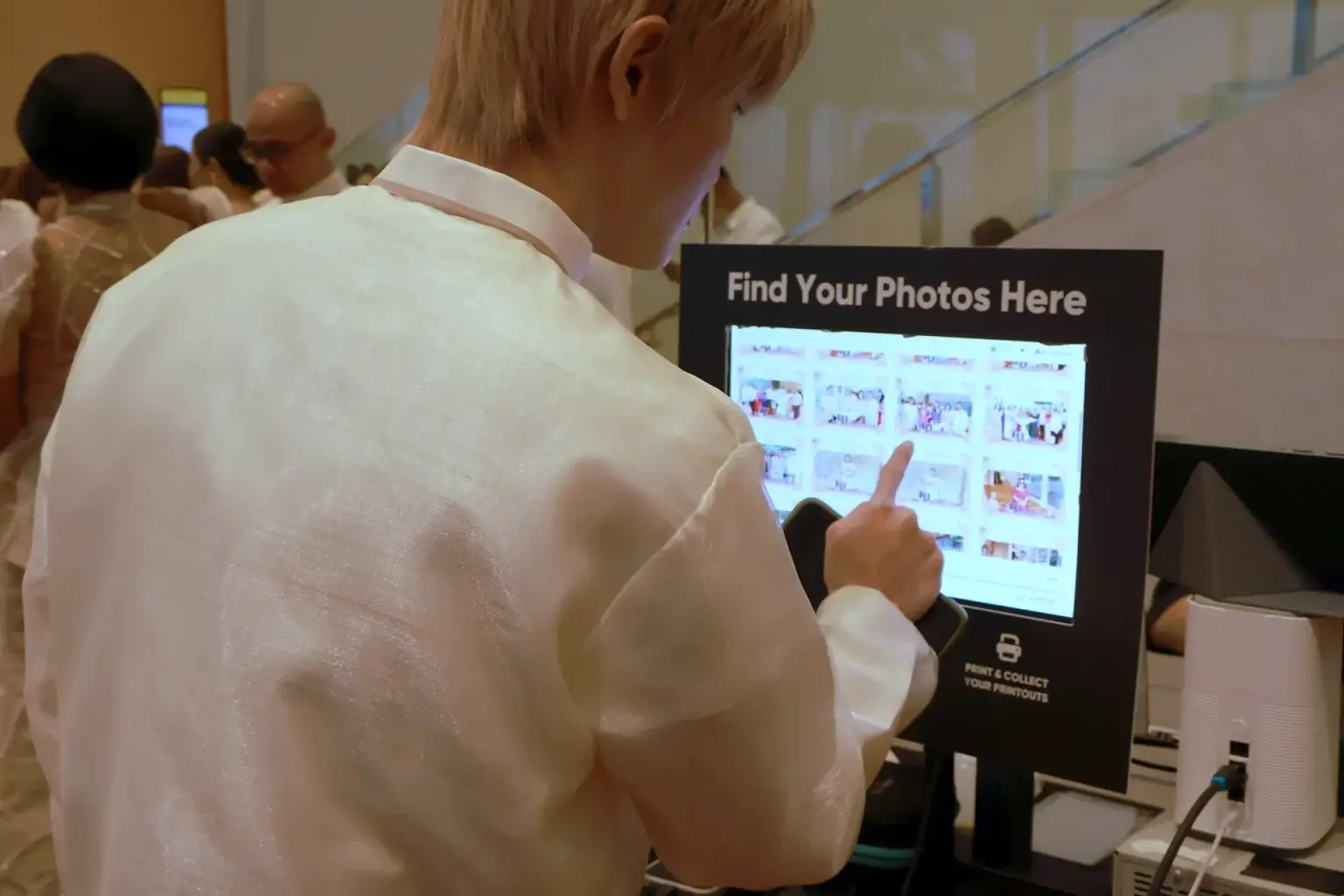
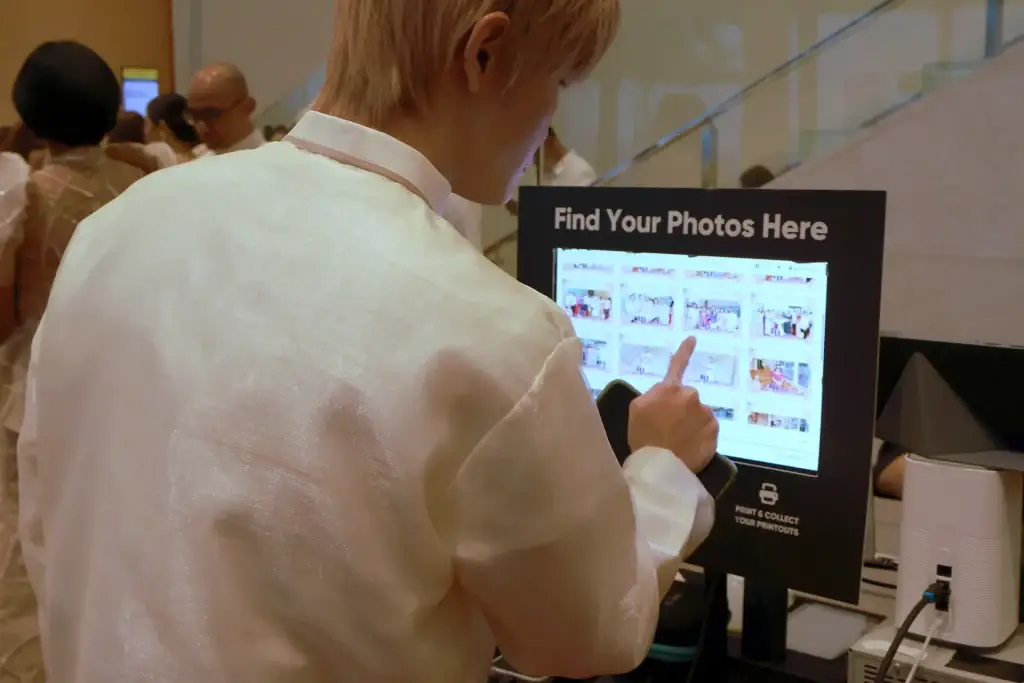
Guest finding his photos on the SharingKiosk screen at a Singapore event
Photo sharing · Singapore

Event Photo Sharing in Singapore

5.0Google reviewsTrusted by LinkedIn, Apple, Dior, Marina Bay Sands, DBS, OCBC, UOB, BHP and many more

Every guest leaves with their photo.

Event photo sharing by Snaply.sg puts each photo on our SharingKiosk after upload, ready for guests to select and download. Guests find their own shot and save it to their phone by QR code, email or Telegram. It comes with our roving photography and photo booth packages. Custom branding, SMS and WhatsApp delivery are available as add-ons.

Send your date, venue, hours and guest count to hello@snaply.sg or WhatsApp us.

Photo sharing
  • Photos on the kiosk after upload
  • QR code, email and Telegram included
  • Custom branding, SMS and WhatsApp as add-ons
  • Full softcopies within 7 working days
QR codeEmailTelegramCustom branding add-onSMS add-onWhatsApp add-on

Past clients include

  • LinkedIn logo
  • Apple logo
  • HarbourVest logo
  • Fendi Casa logo
  • Marina Bay Sands logo
  • Dior logo
  • NTU Singapore logo
  • Pasir Ris Secondary School logo
  • Mediacorp logo
  • Anywheel logo
  • DBS Bank logo
  • OCBC Bank logo
  • UOB logo
  • NUS (National University of Singapore) logo
  • ActiveSG logo
  • Adventurers Singapore logo
  • Sierra logo
  • INVNT logo
  • AMP Singapore logo
  • Blueprints Events Management Service logo
  • Hai Sing Catholic School logo
  • BHP logo

Quick answer

Event Photo Sharing: How Do Guests Get Their Photos?

With Snaply.sg event photo sharing, photos appear on SharingKiosk after upload, ready for guests to select and download. Timing depends on the connection and event setup. Guests tap their own photo and save it by QR code, email or Telegram, with no app or account needed. Organisers receive the full set of high-resolution softcopies within 7 working days. See it in action with our roving photography and photo booth rental.

See how it works on the day

1Our photographer captures guests
2Guests find their photo on the SharingKiosk
3Prints come out on the spot
4Guests take home their print

What Organisers Get

  • Make it yours. Add custom branding with your logo, colours and message text on the kiosk screen, the download page and every email (add-on). Need more? The SharingKiosk screens, look and guest flow can be fully customised to your needs, at a customisation rate.
  • The full set of softcopies. Every high-resolution photo by download link within 7 working days, or within 24 hours with express delivery (S$250).
  • Less admin after the event. Guests collect their own photos on the day, so event photo sharing saves you sending a gallery link to everyone afterwards.
  • Works with every Snaply.sg service. Use it with roving photography, photo booths and wedding roving photography.
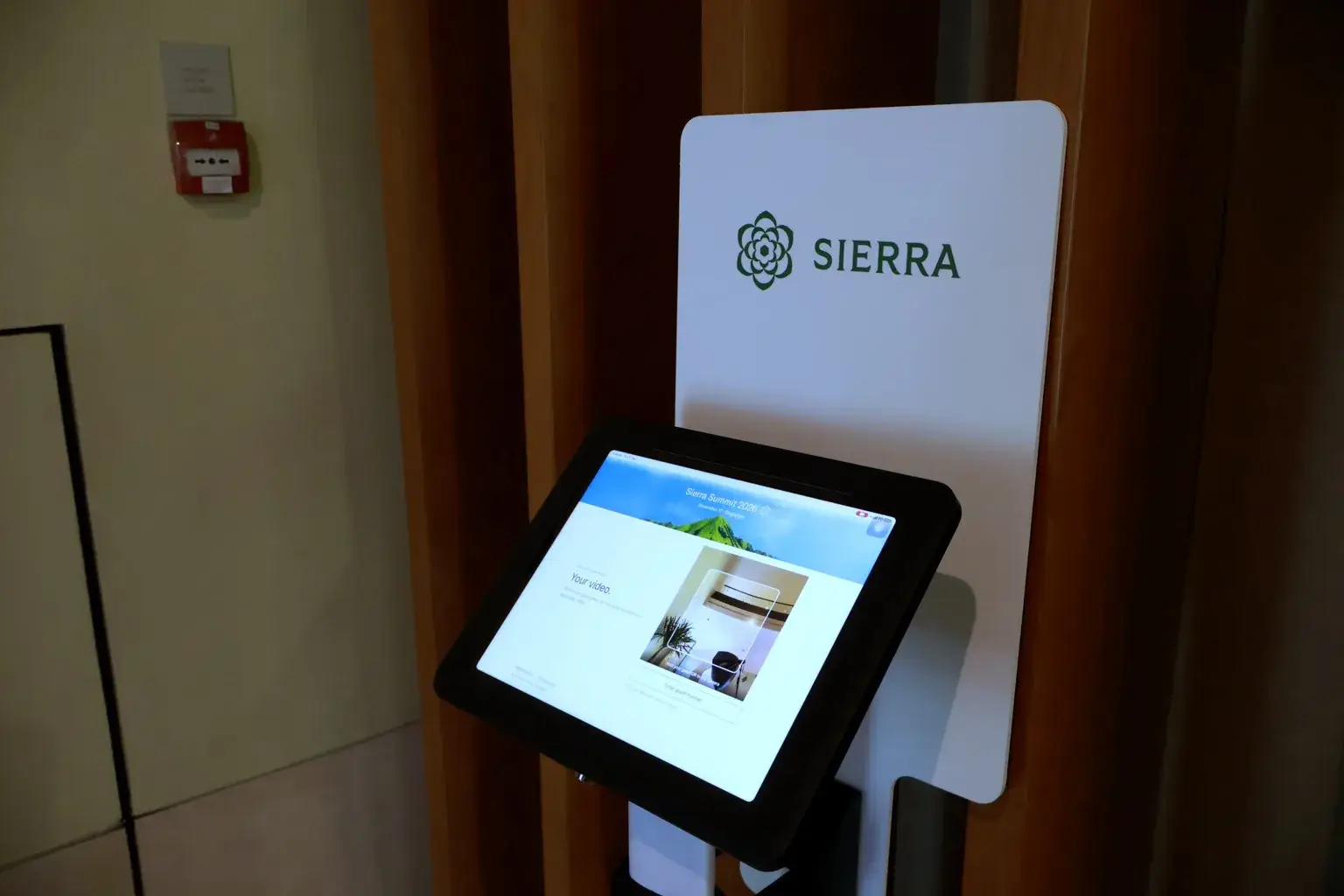
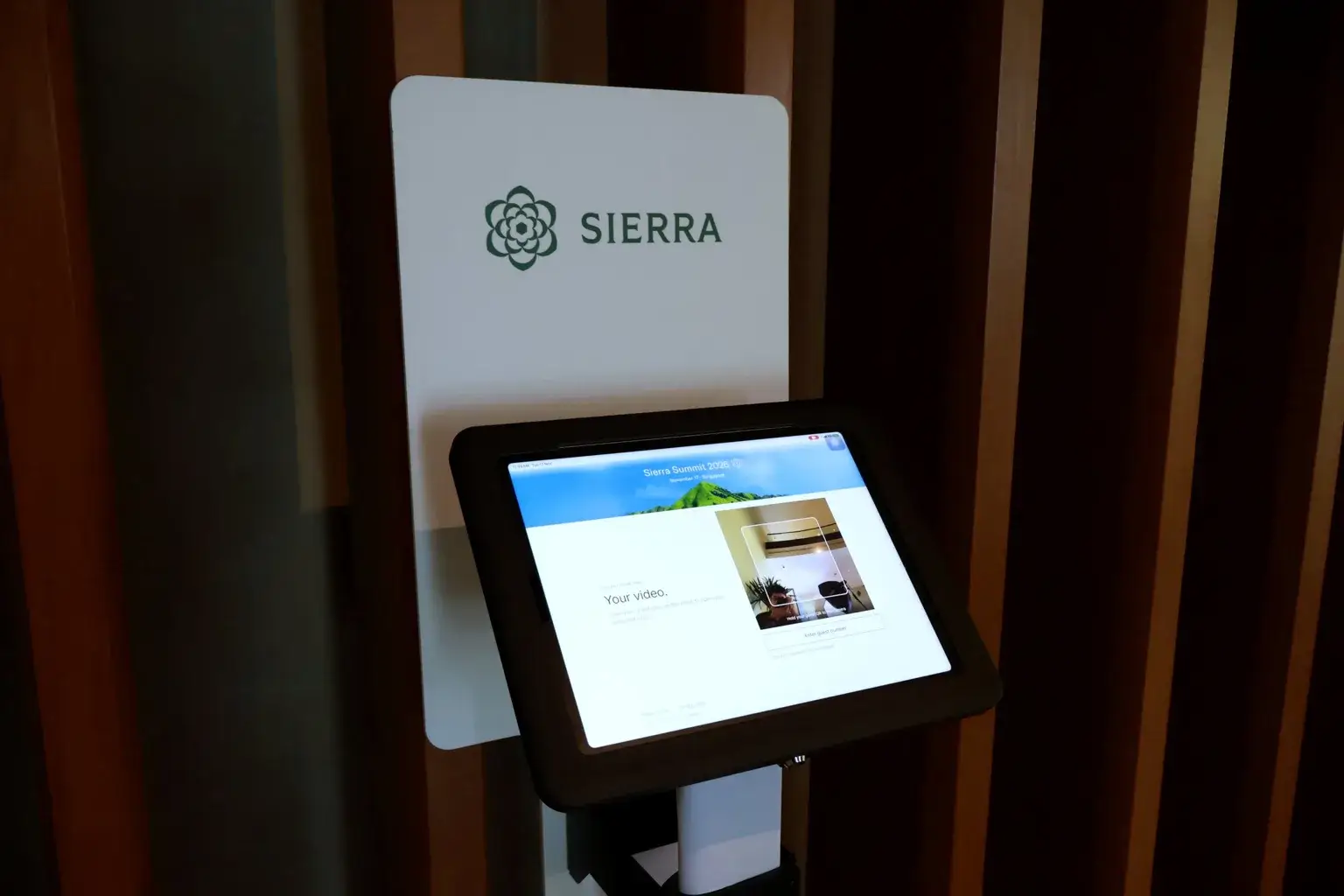
SharingKiosk custom standee with branded video collection screen
Standee panel and kiosk screen in your event branding
SharingKiosk custom branded UI screen on kiosk standee
Custom SharingKiosk screen design
SharingKiosk kiosk standee at corporate event Singapore
Branded floor standee at a corporate event
Guest registers on phone with custom branded event form
Custom registration form on the guest’s own phone

The standee panel, SharingKiosk screens and guest registration form can all be customised to your event branding and guest flow, at a customisation rate. A contactless option is available too, where guests register and collect on their own phones.
How Event Photo Sharing Works

From the moment a photo is taken to the moment it is saved on a guest’s phone, here is the full event photo sharing journey. It takes just seconds, even at busy events.

  1. 1Photo TakenOur photographer or booth captures the moment with your event overlay.
  2. 2On the SharingKioskPhotos appear on SharingKiosk after upload, ready for guests to select and download. Timing depends on the connection and event setup.
  3. 3Guest Finds ItGuests tap their own photo, or take a quick selfie to see every photo they are in. No app to download, no account needed.
  4. 4Saved to Their PhoneThey get it by QR code, email or Telegram, and print it if prints are included.

Built into the SharingKiosk

  • OptionalFind My Photos with a SelfieGuests take a selfie and the kiosk shows every photo they appear in. The selfie stays on the kiosk and is never uploaded.
  • OptionalGroup and Family SearchOne selfie for the whole group: show photos of just me, any of us, or only the shots with all of us together.
  • IncludedWorks in Dim VenuesIn darker ballrooms and night events, selfies are brightened automatically so guests are still recognised.
  • IncludedA Print for Everyone in the ShotWhen prints are included, the kiosk counts the people in each photo and suggests that many prints, so no one in the group goes home without one.

How Guests Can Receive Their Photos

  • IncludedQR CodeScan at the kiosk and save the photo straight to the phone.
  • IncludedEmailSent straight to the guest's inbox.
  • IncludedTelegramDelivered through our Telegram bot in a couple of taps.
  • Add-onCustom BrandingYour logo, colours and message text on the kiosk, download page and emails.
  • Add-onSMS Text MessageA text with the photo link, sent to the guest's mobile number.
  • Add-onWhatsAppThe photo sent to the guest's WhatsApp, with your message.

Add-ons carry an additional charge and are confirmed in your quotation. After the event, you also receive the full set of high-resolution softcopies by download link within 7 working days.

Event photo sharing: a guest finding her photos on the Snaply SharingKiosk
Guests find their own photos on the SharingKiosk.
Guest scanning the SharingKiosk QR code to save her event photos
Scan the QR code to save the photo to your phone.

What Our Clients Say on Google

5.0
Based on 31 Google reviews
Jonathan Lim
Had a great experience with Snaply.sg! Prints were sharp, vibrant, true to colour. Prices were amongst the most competitive for the quality…
Read the full Google review
Yushun Hong
Jerald was absolutely helpful for my purchase and he delivered what he promised! Absolutely smooth transaction, will deal with again in future!
Charmaine Toh
Good Service 👍 Staff was friendly and would help assist with guiding on how to pose! Props were up to trend and appropriate. Highly recommended ☺️
Mervin Ong
Excellent service provided by the event company. Hire them to set up a booth and some basic photography/videography for a small event. Photo qualities were up to standard and the almost instant mini prints were a plus point. Definitely recommend!!
Wong Yi Ting
Snaply.sg was absolutely amazing! Jerald was incredibly friendly and super fast with all his replies. The photos were delivered so quickly and the quality is outstanding. Highly recommend!
C X
Jerald and his team were friendly, supportive, and professional throughout the session. They provided plenty of props, which made the experience even more fun and…
Read the full Google review
Chewy Bear
Thank you for the fast service and affordable prints. The photos printed are high quality and crisp 🙂 Fuss free and delivery was next day!
Jolena Tan
Prints were clear & sharp!!! I’m very satisfied with them. Process of getting them was fuss-free & quick as well. Thank you Jerald & Snaply.sg team! 😊
Jam Mie
Excellent experience from start to finish! The staff were friendly, helpful, and professional. Everything was handled efficiently and exceeded my expectations…
Read the full Google review
Rejectance
Good Service, Very Detail with what they offer and make options that are very comfortable with Photography needs
Isaac See
He has been very helpful and has a positive attitude. Reliable and value for money
aqilah busyra
everything was swift, the entire process was smooth & super helpful. photos came out wonderful. thank you
Kapil T
His print quality is too good. Also thanking him for providing the service timely. Last time he was able to print my adhoc request as well. Thanks.
Miguel Coronel
Very good service, goes above and beyond for their customers
Xiangjing Ng
Super good seller, highly efficient in his service. Pls support him! Good attitude and good service!
Seng Wee Wong
The seller is very communicative and had delivered the promise of shipping out the photos asap. Glad to see that the photos are of great quality as well.

Choosing the Right Delivery for Your Guests

QR code is the fastest option for busy events: guests scan and save in seconds. Email suits corporate events where guests want a copy in their inbox, and can carry your branded message with the custom branding add-on. Telegram is popular with younger, tech-savvy crowds.

Choose SMS or WhatsApp delivery when you want the photo to land directly on the guest’s phone. These add-ons carry an additional charge, confirmed in your quotation. Every event photo sharing setup includes QR code, email and Telegram. Not sure which to pick? Tell us about your guests and we will recommend the best event photo sharing setup.

Options compared

Event Photo Sharing Options Compared: QR, Email, Telegram, SMS and WhatsApp

Every event is different, so our event photo sharing works in several ways. Most clients combine two or three so every guest can find their photos easily.

MethodHow guests receive photosBest for
QR codeScan at the SharingKiosk and save to phoneFast, no personal details needed
EmailPhotos sent to the guest’s inboxCorporate events and follow-ups
TelegramPhotos sent through our Telegram botTech-savvy crowds
SMS or WhatsAppA download link sent to the guest’s phonePaid add-on for maximum reach
Host galleryEvery photo by download link after the eventOrganisers and marketing teams

Branding and SMS or WhatsApp sharing are paid add-ons. QR, email and Telegram event photo sharing are included with our roving photography and photo booth packages.

For organisers

Why Event Photo Sharing Matters for Organisers

  • More social reach. Guests post photos the same night, while the event is still trending, so event photo sharing extends your reach beyond the room.
  • Fewer follow-up requests. Guests find their own photos instead of emailing your team days later.
  • Branded keepsakes. Every shared photo carries your custom overlay, logo and hashtag.
  • Useful data. With guest permission, email sharing gives your marketing team an opt-in list for follow-up campaigns.
  • Privacy first. Guests only see and download their own photos, and galleries are removed after the agreed period.

Event Photo Sharing in Singapore, Done for You

Our crew arrives 1 hour early to set up the SharingKiosk, test connectivity and print a sample, so event photo sharing works from the first guest. Pair it with roving photography or a photo booth for the complete experience.

Guest journey

What Event Photo Sharing Looks Like for a Guest

Here is the experience from a guest’s point of view at a typical Snaply.sg event in Singapore:

  1. The photo is taken. A roving photographer or the photo booth captures the moment with your custom overlay already applied.
  2. The photo appears at the SharingKiosk. Within seconds, the image is sent to our SharingKiosk screen near the print station.
  3. The guest finds their photo. Guests browse or search the live gallery on the kiosk screen and tap their photo.
  4. The guest chooses how to receive it. They scan a QR code to save it instantly, or enter an email address or Telegram handle to receive it later.
  5. The guest prints a copy. If prints are included, the guest collects a physical print with your overlay at the same station.
  6. The guest shares it. Because the file is already on their phone, posting to Instagram, Facebook or WhatsApp takes seconds.

The whole journey usually takes less than a minute, which keeps queues short even at events with hundreds of guests.

Tips

Tips to Get the Most Out of Event Photo Sharing

  • Place the SharingKiosk near the action. Next to the bar, the registration desk or the exit works well, because guests pass by naturally.
  • Add your hashtag to the overlay. When guests share, your hashtag travels with every photo.
  • Announce it on stage. A quick mention from the emcee reminds guests to collect their photos before they leave.
  • Use a branded backdrop. Photos taken in front of a step-and-repeat or flower wall are shared more often.
  • Plan for large crowds. For events with more than 500 guests, ask us about a second SharingKiosk so nobody waits.
  • Think about follow-up. With email sharing, your team can send a thank-you message and survey after the event, with guest consent.

Event Photo Sharing for Different Events

Corporate dinner and dances use event photo sharing so staff can post team photos the same night. Brand launches use it to spread branded content across social media. Weddings use it so relatives who travelled can save photos before they fly home. Schools and universities use it at graduations so families can download class photos without waiting for an official album. Whatever the occasion, event photo sharing turns every photo into something guests keep and share.

Behind the scenes

How Snaply.sg’s Event Photo Sharing Technology Works

Our event photo sharing runs on SharingKiosk, a system Snaply.sg built for live events. Photos travel from the camera or booth to a secure cloud gallery and appear on the kiosk screen within seconds. Each image is stored with your event overlay already applied, so what guests download is exactly what they see on screen.

Because the system was designed for busy venues, it keeps working when hundreds of guests are browsing at once. Our crew monitors uploads during the event, checks that the printer and kiosk stay in sync, and steps in if a guest needs help finding a photo.

Data and Privacy

We only ask guests for the details they choose to give, such as an email address for delivery. QR downloads need no personal information at all. Event galleries are private to each event, and photos are removed after the period agreed with the host. If a guest asks for a photo to be taken down, our team removes it.

What Hosts Receive After the Event

Within 24 hours, the host receives a private download link with every photo in full resolution. Marketing teams use the images for social media, newsletters, internal communications and the next year’s invitation.

Planning Checklist for Event Photo Sharing

  • Confirm the venue has a power point near the SharingKiosk and print station.
  • Send us your logo, event name and hashtag for the overlay at least a week before the event.
  • Decide which sharing methods to offer: QR, email, Telegram, or the SMS and WhatsApp add-on.
  • Tell your emcee to mention the SharingKiosk during the programme.
  • Agree how long the event gallery should stay online.

With these sorted, event photo sharing runs smoothly from the first guest to the last, and your team can focus on hosting.

Event Photo Sharing Tools: Queue, Table and Guest Numbers

SharingKiosk also includes event day tools that keep busy events running smoothly. Each one is switched on only when your event needs it.

  • Queue numbers. When guests print at the kiosk, they receive a queue number such as Q001. A printer display beside the print station shows what is printing now, what is up next and what is ready to collect, so guests do not crowd the printer.
  • Table numbers. Guests choose their table when printing, and our photographer tags photos by table while shooting. Guests type their table number on the kiosk to see every photo from their table.
  • Floor plan view. Send us your venue floor plan and we pin each table on it, so our team and your staff can find and check photos table by table.
  • Guest numbers. Each guest can be given a number such as S0427. Photos and videos are tagged with it, and guests type their number or scan their QR code to find their own photos and videos in seconds.

These tools work together with event photo sharing by QR code, email and Telegram, with WhatsApp as an add-on, so every guest finds their photo quickly.

Privacy and control

Event Photo Sharing That Respects Your Guests

Good event photo sharing is fast for guests and safe for organisers. Every event gets its own private gallery, so photos from your dinner never mix with anyone else’s, and guests only reach it through the QR code or link you share on the day.

  • Private by default. Galleries are not listed publicly or shown in search results, and you decide who receives the link after the event.
  • Guests choose what they keep. Each guest picks their own photos and sends them to their phone, email or Telegram, so nobody has to scroll through hundreds of pictures to find themselves.
  • Your branding on every image. Your event overlay is applied before photos reach guests, so every shared photo carries your logo, event name or hashtag.
  • Easy for every age group. There is no app to install. Guests scan, tap and save, and our on-site team is there to help anyone who needs a hand.

After the event, organisers receive the full set of photos by download link for internal newsletters, social media and annual reports. Tell us how long you would like the gallery to stay open and whether guests should be able to download in full resolution, and we will set it up to match your company’s guidelines.

Frequently Asked Questions

Event photo sharing lets guests get their own photos during the event. Each photo appears on our SharingKiosk after upload, and guests save it by QR code, email or Telegram.

Photos appear on SharingKiosk after upload, ready for guests to select and download. Timing depends on the connection and event setup.

No. Guests simply tap their photo on the kiosk and save it with their phone camera, email or Telegram. No app or account is needed.

QR code, email and Telegram delivery are included. Custom branding, SMS and WhatsApp delivery are available as add-ons at an additional charge.

Yes, as an add-on. Your logo, colours and message text can appear on the kiosk, the download page and the emails guests receive. For more than branding, the SharingKiosk screens, look and guest flow can be fully customised to your needs, at a customisation rate.

Yes. You receive the full set of high-resolution softcopies by download link within 7 working days, or within 24 hours with express delivery (S$250).

Yes. It comes with our roving photography and photo booth packages. Add-on delivery channels are quoted separately.

Our SharingKiosk sits within the same 3 m × 3 m setup area as your print station or booth, with one power outlet nearby.

Photos stay available for the period agreed with the host, and the host also receives every photo by download link after the event.

Yes. Scanning the QR code at the SharingKiosk saves the photo straight to the guest’s phone without asking for an email address or phone number.

Yes. Our SharingKiosk uses its own mobile data connection, so event photo sharing keeps working even when the venue Wi-Fi is slow or unavailable. For basements or venues with poor reception, we test the signal during setup and plan a backup.

In most cases, yes. Talk to us about connecting your photographer’s camera to our SharingKiosk so their photos appear for guests to download too.

Yes. SharingKiosk can give each print a queue number with a printer display showing what is ready to collect, and guests can find photos by table number or by their own guest number. These tools are switched on per event, so tell us what your event needs when you ask for a quote.

Let Every Guest Take Their Photo Home

Share your date, venue and guest count and we will recommend the right event photo sharing setup for your event.